

Insta360 Mini Remote ของแท้ By AquaproThailand


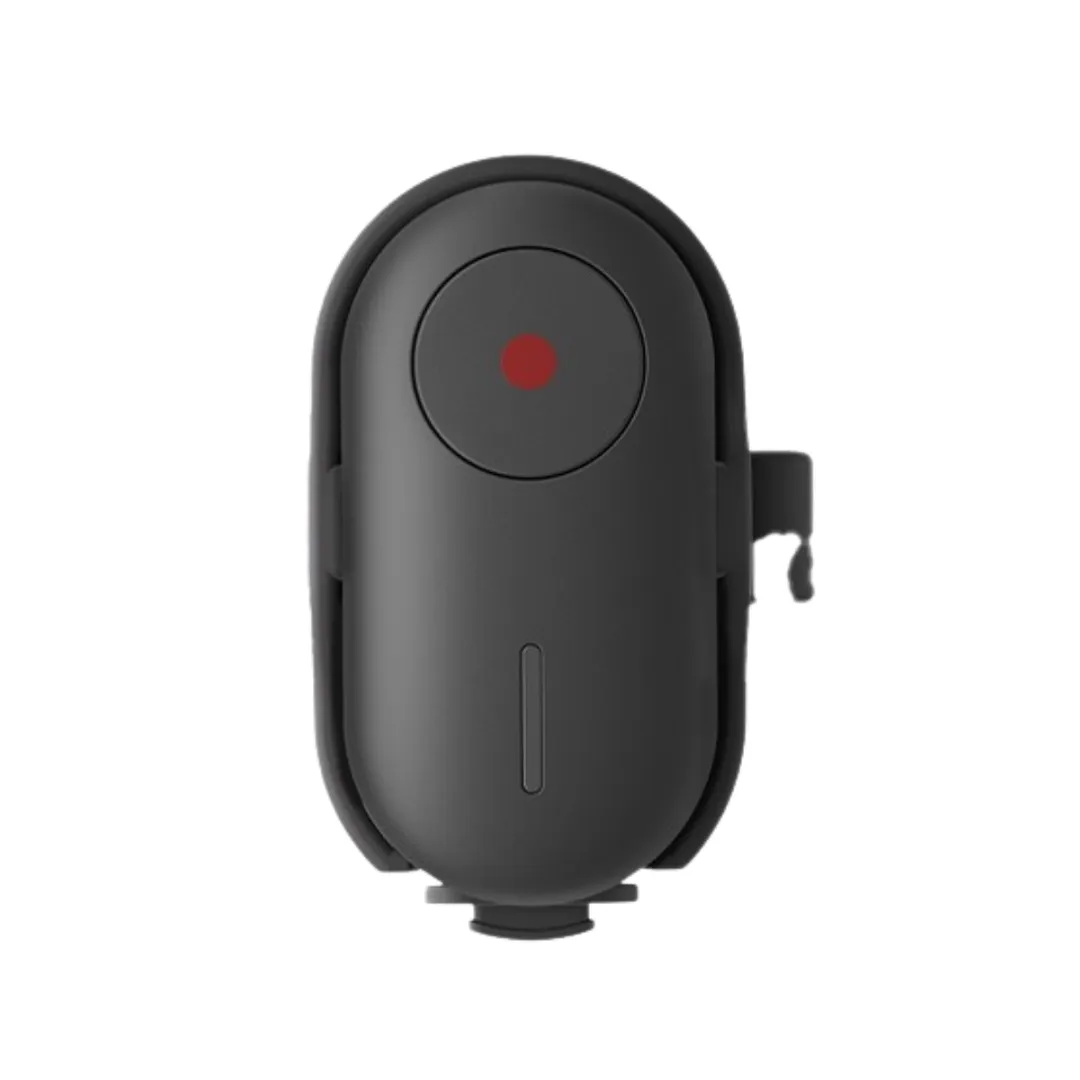
Insta360 Mini Remote ของแท้ By AquaproThailand
อินสตา 360
1 ชิ้น
฿ 1,490.00 ต่อหน่วย
รหัส : 415666366511
฿
1,490
การจัดส่งและใบกำกับภาษี
จำหน่ายโดย
Aquapro Official Store
รายละเอียดสินค้า
Insta360 Mini Remote ของแท้
Insta360 Mini Remote เป็นรีโมทควบคุมขนาดเล็กที่รองรับ Bluetooth ที่ออกแบบมาสำหรับกล้อง Insta360
รีโมทนี้ช่วยให้เริ่ม/หยุดการบันทึก ถ่ายภาพ และสลับโหมดการถ่ายภาพได้อย่างสะดวกสบายโดยไม่ต้องสัมผัสกล้อง เหมาะอย่างยิ่งสำหรับการวิดีโอบล็อก
การถ่ายภาพแอคชั่น หรือการติดตั้งขาตั้งกล้องที่กล้องอยู่นอกระยะเอื้อม
คุณสมบัติหลัก:
ขนาดกะทัดรัด: ใส่กับพวงกุญแจหรือยึดกับอุปกรณ์เสริมได้อย่างง่ายดาย
การเชื่อมต่อ Bluetooth: จับคู่กับกล้อง Insta360 ที่เข้ากันได้
การควบคุมที่เรียบง่าย: โดยทั่วไปมีปุ่มชัตเตอร์และปุ่มสลับโหมด
อายุการใช้งานแบตเตอรี่ที่ยาวนาน: ใช้แบตเตอรี่แบบเหรียญ (CR2032) และใช้งานได้นานหลายเดือนในการใช้งานทั่วไป
ความเข้ากันได้: ใช้งานได้กับรุ่นต่างๆ เช่น Insta360 X3, GO 3, ONE RS และ ONE X2 แต่ควรตรวจสอบการรองรับกล้องเฉพาะเสมอ
การใช้งานทั่วไป:
การถ่ายภาพระยะไกลเพื่อวิดีโอ/ภาพถ่ายที่เสถียร
หลีกเลี่ยงการสั่นของกล้องเมื่อถ่ายภาพแบบเปิดรับแสงนานหรือแบบไทม์แลปส์
ใช้งานแบบแฮนด์ฟรีขณะปั่นจักรยาน เล่นสกี หรือทำกิจกรรมต่างๆ
--
Insta360 Mini Remote
- Control your camera up to 33ft (10m) away. Start and stop recording with a click.
- Compatible with the Insta360 Foldable 2-in-1 Selfie Stick (1/4" Mount) to film on the go.
- Base rotates 360 degrees for easy use at any angle.
- Universal design for multiple mounting options.
- For camera compatibility, please check Insta360's official website and keep the Mini Remote's firmware up to date.
Compatibility
X5
X4
Insta360 Ace Pro 2
GO 3S
Mini Remote
Control your camera with a click.
Go the distance.
Remotely control your camera up to 33ft (10m) away. Start or stop shooting with ease.
Lightweight and easy to store.
Thumb-sized and just 6.4g (0.2oz) to film on the go.
*Compatible with the Insta360 Foldable 2-in-1 Selfie Stick (1/4" Mount), with a designated Mini Remote slot to keep it safe.
Mount it your way.
Includes two straps to mount the Mini Remote to your selfie stick, handlebars, fishing rod, and more.
In the Box
1x Mini Remote
1x Mini Remote Base
2x Mini Remote Straps
Specs
Weight: 6.4g (0.2oz)
Material: Plastic
Size: 19x36x9.5mm (0.7x1.4x0.4in)
Battery Capacity: 60mAh
Battery Energy: 0.222Wh
Battery Type: Li-ion
Charging
Connect the USB-C Port on the Mini Remote with a USB-C Cable and 5V/1A power adapter. It takes around 90 minutes for a full charge.
How to Use
1.Power On/Off
- Hold the button for two seconds to turn the Mini Remote on.
- When the camera is disconnected and the remote control is on, hold the button for two seconds to turn the Mini Remote off.
- When the camera is connected and the remote control is on, hold the button for two seconds to turn the camera and the remote control off simultaneously.
2. Connect Camera
Power on the Mini Remote and the camera. Swipe down on the camera's touchscreen, tap the Bluetooth Remote icon and tap "Insta360 Mini Remote". If paired successfully, the camera's screen will display "Connected" and the Mini Remote's Indicator Light will be solid green.
3. Wake Up Camera
Once connected via Bluetooth:
- Turn off the camera and remote control simultaneously by pressing and holding the button on the remote control for two seconds.
- Turn on the remote control and wake up the camera by pressing and holding the button on the remote control for two seconds.
- Activate QuickCapture by pressing the button on the remote control once. Press again when the blue indicator light activates to wake up the camera, start recording, and also turn on the remote control.
4. Take Photo/Video
Once the Mini Remote is connected to the camera, press the button once to take a photo or record a video. Press the button again to stop recording.
5. Mark Video
If the Mini Remote is connected to the camera and the camera is recording a video, long press the button for 1 second to mark the video as a highlight.
Firmware Update
Access Insta360 App > Settings > Update, then connect to the remote. If there is new firmware, an update note will pop up. Please update the remote according to the instructions on the App.
อ่านเพิ่ม
ข้อมูลจำเพาะ
น้ำหนักรวมสุทธิ
10 x 10 x 10 cm, 1kg
รหัส
415666366511